AI sneaker recognition
Shoe recognition app: how AI recognizes any sneaker
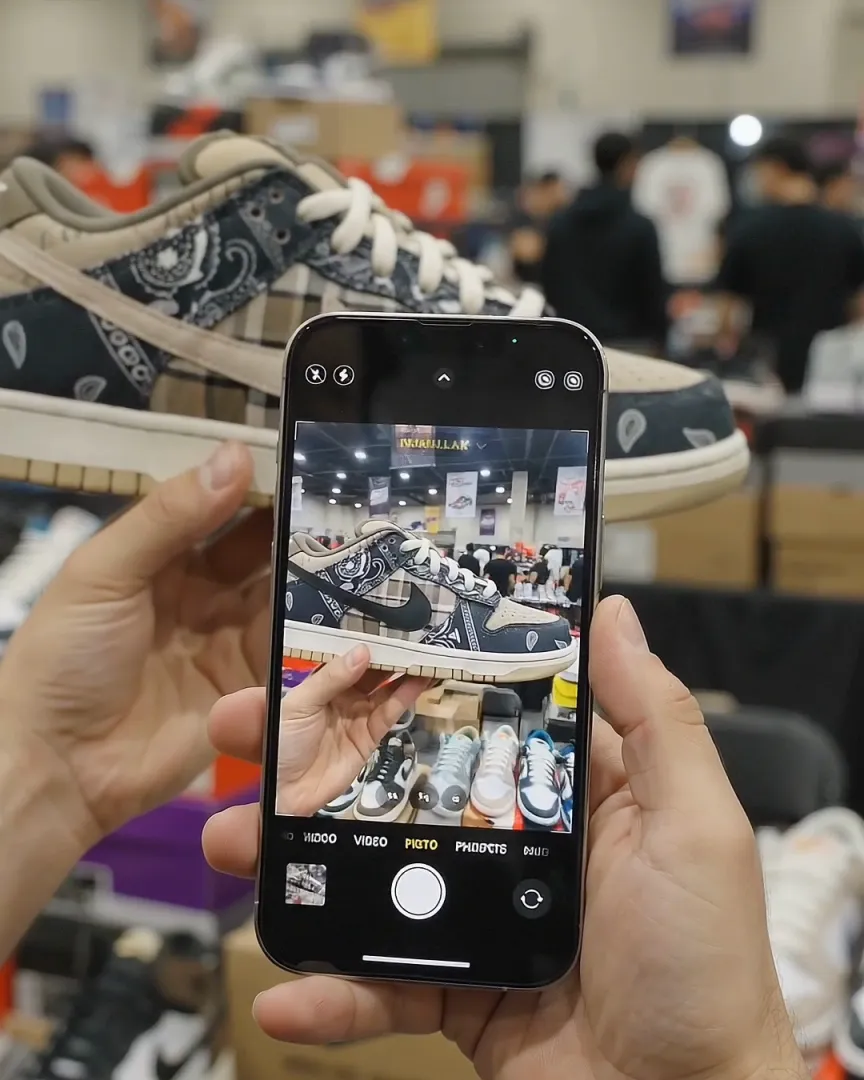
A shoe recognition app uses your phone’s camera and computer vision to name a shoe from a photo. Sneaker AI reads the silhouette, panels, logos, sole and colors, matches them against a catalog of 500+ brands, and returns the model, colorway and style code in seconds.
Here is how that recognition works, where it falls short, and how to tell a sneaker-specific shoe scanner from a general image search.
 Free download · iPhone
- Instant AI scan
- 2-expert legit check
- Shareable certificate
Under the hood
What happens when you scan a shoe
Recognition takes seconds, but it is three separate jobs.
- 01
Find the shoe
The app locates the shoe in the frame and separates it from hands, shelves and other pairs. That is why one shoe per photo works best. - 02
Read the details
It reads the features that separate models: silhouette, panel layout, logo placement, sole unit, materials and color. - 03
Match and rank
Those features are compared with known sneakers. The closest match comes back as a model, colorway and style code.
The features
Six things a shoe recognizer reads
People recognize a shoe at a glance without thinking about why. An AI model has to work from specific visual features. These are the ones that matter most:
| Feature | What the AI looks at | What it helps separate |
|---|---|---|
| Silhouette | Overall shape, collar height, toe shape, heel profile | A Jordan 1 High from a Mid or a Low |
| Panel layout | Where the overlays, toe cap, eyestay and heel counter sit | A Dunk Low from an Air Force 1 in the same colors |
| Logo placement | Swoosh, Three Stripes, the “N,” tongue and heel branding | The brand, usually the first thing settled |
| Sole unit | Cupsole or midsole shape, visible Air, Boost foam, gum rubber, tread | An Air Max 1 from an Air Max 90 |
| Materials | Leather, suede, nubuck, mesh, knit, patent | Suede and leather versions of the same model |
| Color blocking | Which colors sit on which panels | A “Bred” Jordan 1 from a “Chicago” |
No single feature decides the match. A Dunk Low and an Air Force 1 can share a colorway, so the sole and panels do the work. Two Jordan 1 colorways share a shape, so the color blocking does. The more of the shoe your photo shows, the more features the AI has to go on. For the nicknames themselves, see sneaker colorway nicknames explained.
Strengths and limits
What shoe recognition can and can’t do
Recognition is good at one job: telling you which shoe you are looking at. Knowing its limits keeps you from trusting a result it can’t back up.
What it does well
- Names popular models and colorways from a clear photo in seconds.
- Works on photos you didn’t take: listing photos, screenshots and paused video frames.
- Returns a style code you can search to confirm the exact release.
- Separates models that casual buyers mix up, like a Jordan 1 High and Mid.
Where it struggles
- It can’t see inside the shoe. Insoles, the stitching under them and the inner size tag aren’t in a side photo unless you shoot them.
- Blurry, dark or partial photos. If half the shoe is out of frame or under a hand, there is less to match.
- Near-identical colorways. Some releases differ only by a shade, a material or one small detail. Confirm with the style code.
- Rare samples, customs and unbranded shoes. If a shoe isn’t in the catalog, the app can only return the closest match.
- Recognition is not authentication. A good replica is built to be recognized as the real model. Knowing a pair is a Travis Scott Dunk Low tells you nothing about whether it is genuine. That takes a legit check.
Compare
Three kinds of shoe recognition tools
Search for a shoe scanner app and you will find three different kinds of tool. Each answers a different question.
| Compared on | Visual search, e.g. Google Lens | Sneaker recognition app | Legit check app |
|---|---|---|---|
| Answers | “What does this look like?” | “Which shoe is this?” | “Is this pair real?” |
| Returns | Similar images and shopping links | Model, colorway and style code | A real-or-fake verdict |
| Strength | Built into many phones; finds where a photo came from | Exact sneaker match with a code you can search | Covers the question recognition can’t |
| Weak spot | Look-alikes, wrong colorways, no legit check | Can’t confirm a pair is genuine on its own | Usually needs a specific set of photos |
Sneaker AI covers the last two. It recognizes the shoe, then lets you run an AI scan for common replica tells or send your photos to two human authenticators through the Expert Legit Check. Read AI vs. human legit checks for how those two compare.
Checklist
What to look for in a shoe recognition app
Before you download a shoe recognizer, check that it does these five things:
- Returns a style code, not just a name. “Air Jordan 1” isn’t enough to buy or sell. The code pins down the exact release. See the Nike style code lookup for what to do with it.
- Covers more than one brand. Most collections mix Nike, Adidas, New Balance and Asics. Sneaker AI recognizes 500+ brands.
- Shows price data. A reference price from recent marketplace sales tells you whether an asking price makes sense.
- Has a path to a legit check. Once you know the model, the next question is whether the pair is real. Look for an AI scan and a human review in the same app.
- Works on screenshots. Much of the time the shoe is in a listing or a post, not in your hand.
Ready to try it on a real pair? The shoe identifier page covers what you get back and how to confirm it with the tag. Got a mystery shoe from a screenshot? Start with what shoe is this?
Questions
Frequently asked questions
What is a shoe recognition app?
A shoe recognition app identifies a shoe from a photo. It uses computer vision to read the shape, panels, logos, sole and colors, then matches them against a catalog of known sneakers. Sneaker AI returns the model, colorway and style code, with a reference price from recent marketplace sales.
How does AI recognize shoes?
It first finds the shoe in the photo, then reads the features that separate one model from another: silhouette, panel layout, logo placement, sole unit, materials and color. Those features are compared with known releases, and the closest match comes back as the result.
Is Google Lens good for recognizing shoes?
Google Lens is useful for finding where a photo appears online or getting a rough idea of the brand. Because it searches every kind of product, it often returns look-alikes or the wrong colorway, and it does not check whether a pair is real. A sneaker-specific app returns the exact model and style code.
Can a shoe recognition app tell if shoes are fake?
Recognition alone can't. Replicas are made to look like the real model, so they are often recognized correctly. Checking authenticity takes a legit check: Sneaker AI's AI scan flags common replica tells, and its Expert Legit Check has two human authenticators review your photos.
Why did the app recognize the wrong colorway?
Usually because of the photo. Filters, colored lighting and shadows change how colors read, and some colorways differ only by a shade or a material. Retake the photo in daylight from the side, and check the style code on the size tag to confirm.
Is there a shoe recognition app for Android?
Sneaker AI is available for iPhone only. On Android, general visual search tools can suggest a brand or similar products, but they usually don't return a style code or offer a legit check.
Keep going
Related tools and guides
Shoe identifier
Identify any shoe by photo: brand, model, colorway and SKU in seconds.
OpenIdentifyWhat shoe is this?
Snap or upload a photo and get the exact model, colorway and style code.
OpenAuthenticateSneaker authenticator
AI legit check plus two human experts and a shareable certificate.
OpenFree download · iOS
See what your camera can recognize.
Download Sneaker AI, scan any sneaker for its model, colorway and style code, then legit check it in the same app.