Reverse image search for sneakers
Find shoes by picture: search any sneaker by photo
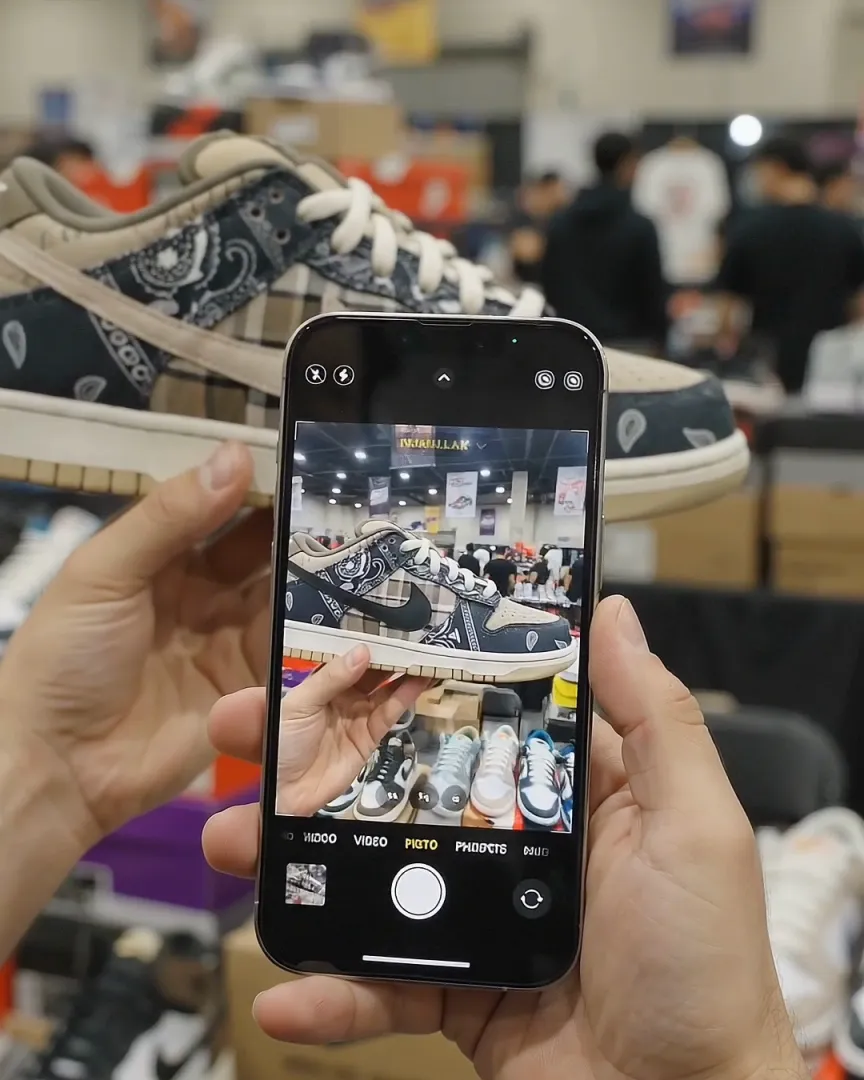
Saw a pair in a post, a store window or on someone in the street? Sneaker AI lets you find shoes by picture. Snap a photo or upload a screenshot, and it names the brand, model, colorway and style code in seconds.
The style code is what gets you to the shoe itself: search it to see where the pair is sold, what it resells for, and which similar pairs are still around.
 Free download · iPhone
- Instant AI scan
- 2-expert legit check
- Shareable certificate
4 steps
How to find shoes from a picture
From a blurry screenshot to the exact pair, in about a minute.
- 01
Get the best picture
Use the sharpest photo you have. Crop it so the shoe fills the frame. A side view shows the most. - 02
Scan it
Upload it to Sneaker AI. You get the brand, model, colorway nickname and style code. - 03
Search the code
Search the style code in quotes to find the exact pair at retailers and resale sites. Our style code lookup guide shows how. - 04
Check before you buy
Picture searches surface fake stores too. Run a real-or-fake scan before you pay.
Your picture
Where the picture comes from changes the search
Most people searching for shoes by picture are working from something less than ideal: a screenshot, a far-off street shot, a photo of a photo. Here is how to get the most out of each.
| Picture | What to do | Watch out for |
|---|---|---|
| Instagram or TikTok post | Pause on the sharpest frame, screenshot, crop to the shoe | Filters that shift colors; check the caption and tags for the name |
| Someone else’s shoes in the street | Zoom in and crop; a side or three-quarter view works best | Motion blur and shadows; similar models in the same colors |
| An online listing | Scan the clearest listing photo, then compare with the title | Listings with the wrong model name or stolen photos |
| An old photo or a thrift find | Scan the shoe, then look for a size tag or box label | Retros that look like the original but carry a newer code |
| A product shot on a store page | Scan it as-is; studio photos give the cleanest match | Unknown stores with prices far below resale |
One shoe per picture gives the cleanest result. If you have several angles, scan the side view first and use the others to confirm details like the heel, the tongue label and the outsole. More photo tips are in our guide to identifying sneakers from a picture.
Pick a tool
Reverse image search for shoes: which tool to use
There is more than one way to search shoes by image. Each answers a slightly different question.
| Tool | Best at | Weak at |
|---|---|---|
| Sneaker identifier (Sneaker AI) | Exact model, colorway and style code; real-or-fake checks | Non-sneaker footwear, unbranded and custom shoes |
| General visual search (e.g. Google Lens) | Finding where a photo appears online; rough brand and style | Telling near-identical colorways and models apart |
| Shopping app image search | Showing what that store sells that looks similar | Only searches one store’s stock; rarely the exact pair |
| Asking a sneaker community | Rare samples, old pairs and customs | Slow, and answers vary in quality |
A practical order: scan the picture with a sneaker identifier to get the name and code, use general image search if you want to know where the photo came from, and ask a community only when nothing else knows the shoe. For how shoe recognition works under the hood, see our shoe recognition app page.
Next step
You have the name. Now find the pair.
Identifying the shoe is half the search. The style code gets you the rest of the way, because retailers and resale marketplaces list shoes by it.
- Still in stores? Search the code in quotes. If the brand or big retailers list it, you can buy it at retail price.
- Sold out? Resale marketplaces list the same code with prices by size. Compare a few before you buy; our guide to what sneakers are worth explains how resale prices move.
- An older colorway? Popular colorways are often re-released years later. A retro looks almost the same but has its own code, so search the colorway nickname too.
- Need your size? Sizing varies by brand and model. Check the sneaker size guide before you order from a resale seller who won’t take returns.
One warning. Picture searches often lead to unfamiliar stores selling hyped pairs well below resale. Many reuse photos from real listings and ship replicas. If the price looks too good, read how to avoid sneaker scams online and scan the seller’s photos with the sneaker scanner first.
Look-alikes
How to find similar shoes from a picture
Sometimes the exact pair is gone, out of your size or out of budget. A picture still gets you to something close.
Same model, different colorway
Once you know the model, search it on its own to see every colorway. Sellers list them under nicknames like “Panda,” “Bred” or “Chicago,” so our guide to colorway nicknames helps you search the way sellers write.
A sibling model with the same look
Many shoes share a silhouette. A Dunk Low and a Jordan 1 Low look alike at a glance, and often come in similar colors. Our Dunk Low vs. Jordan 1 Low comparison shows what changes between them.
A general release instead of a collab
Limited collaborations usually borrow a base model that is also sold in regular colorways. Search the base model in the same colors for a pair that is easier to find.
Lookalikes with their own branding are fine. Shoes that copy another brand’s logo and sell it as the real thing are counterfeits, whatever the listing calls them.
Questions
Frequently asked questions
How do I find shoes by picture?
Crop the picture to the shoe, then scan it with a sneaker identifier like Sneaker AI. It returns the brand, model, colorway and style code. Search that style code in quotes on Google, the brand's site or a resale marketplace to find the exact pair, its release date and who is selling it.
Can I find shoes from a screenshot?
Yes. Screenshots from Instagram, TikTok or a store page work well. Pause videos on the frame where the shoe is largest and sharpest, crop out everything else, and scan the screenshot. If the shoe is tiny or blurry, look for a second frame or photo from a different angle.
Is there a free way to search shoes by image?
Yes. Sneaker AI is a free download for iPhone, and general visual search tools like Google Lens are free too. General tools are good at finding where a photo appears online; a sneaker-specific identifier is better at returning the exact model, colorway and style code.
Why does reverse image search show the wrong shoe?
General image search matches overall shape and color, so it often returns look-alikes: a Jordan 1 Low instead of a Dunk Low, or a similar colorway from a different year. It also surfaces stores that reuse other people's photos. Confirm the result with the style code before you buy.
How do I find where to buy shoes from a picture?
Identify the shoe first, then search its style code. The code shows whether the pair is still sold at retail. If it has sold out, resale marketplaces list it by the same code, and older colorways may have been re-released under a newer code.
Can I find similar shoes from a picture?
Yes. Once you know the model, search for the same silhouette in other colorways, or for general releases that share the look of a hard-to-find collaboration. Sneaker colorway nicknames like Panda or Bred help, because sellers list shoes under them.
Can a picture tell me if the shoes are real?
A picture can start a legit check, but one photo is rarely enough. Sneaker AI's scanner flags common replica tells from several photos, and its Expert Legit Check has two human authenticators review the pair before you pay.
Keep going
Related tools and guides
What shoe is this?
Snap or upload a photo and get the exact model, colorway and style code.
OpenIdentifyShoe identifier
Identify any shoe by photo: brand, model, colorway and SKU in seconds.
OpenAuthenticateSneaker scanner
Scan shoes with your phone to check if they're real or fake before you buy.
OpenFree download · iOS
Find the shoe in the picture.
Download Sneaker AI, upload a photo or screenshot, and get the model, colorway and style code you need to find the pair.